
Connect Telegram
DM your agent on Telegram via your own bot. Telegram creates it through @BotFather and hands us the token directly. We never see your password.
1. Open Connect Telegram
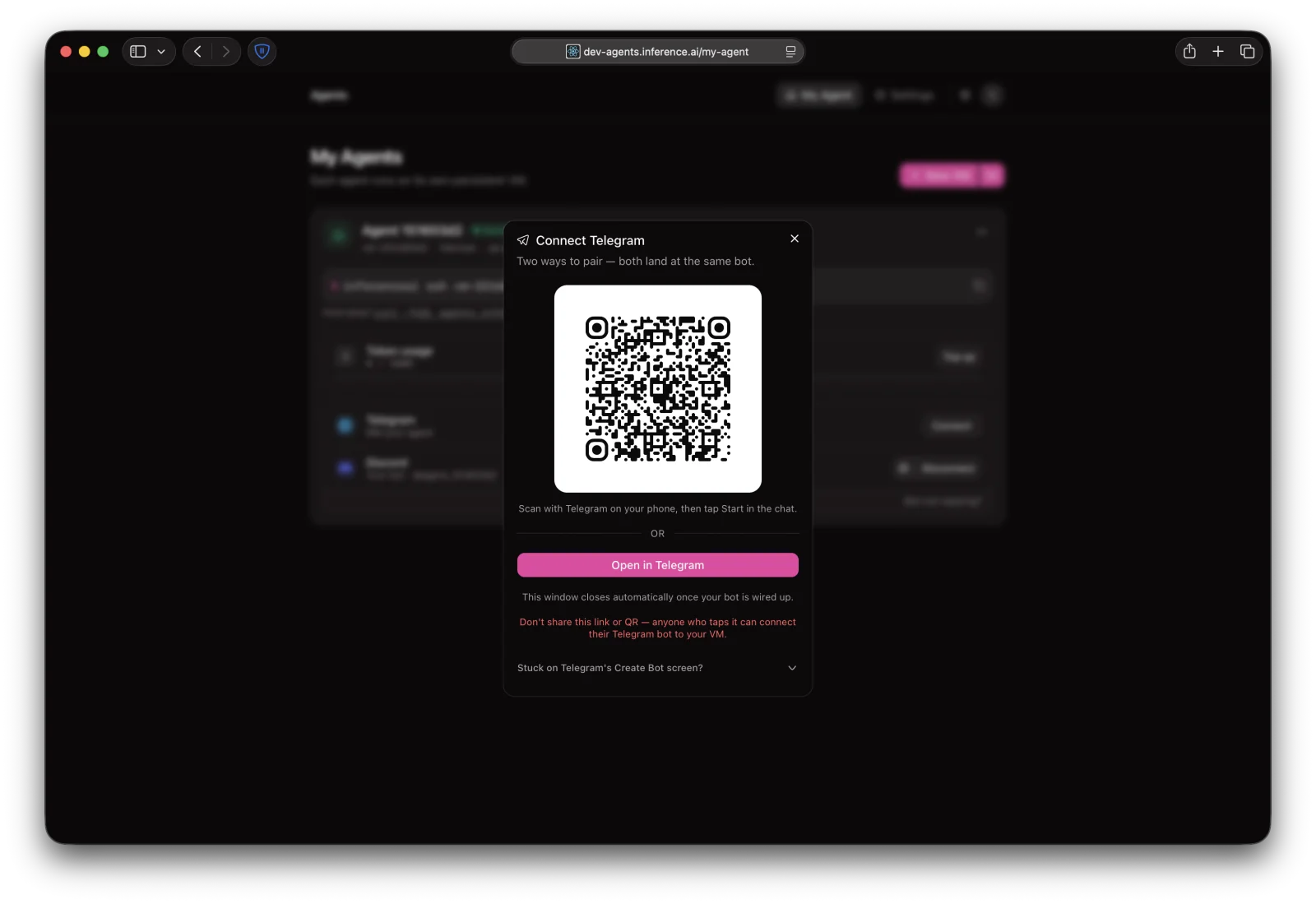
In your dashboard, click Channels → Telegram → Connect. You'll get a QR code and an "Open in Telegram" deep link.
2. Open in Telegram
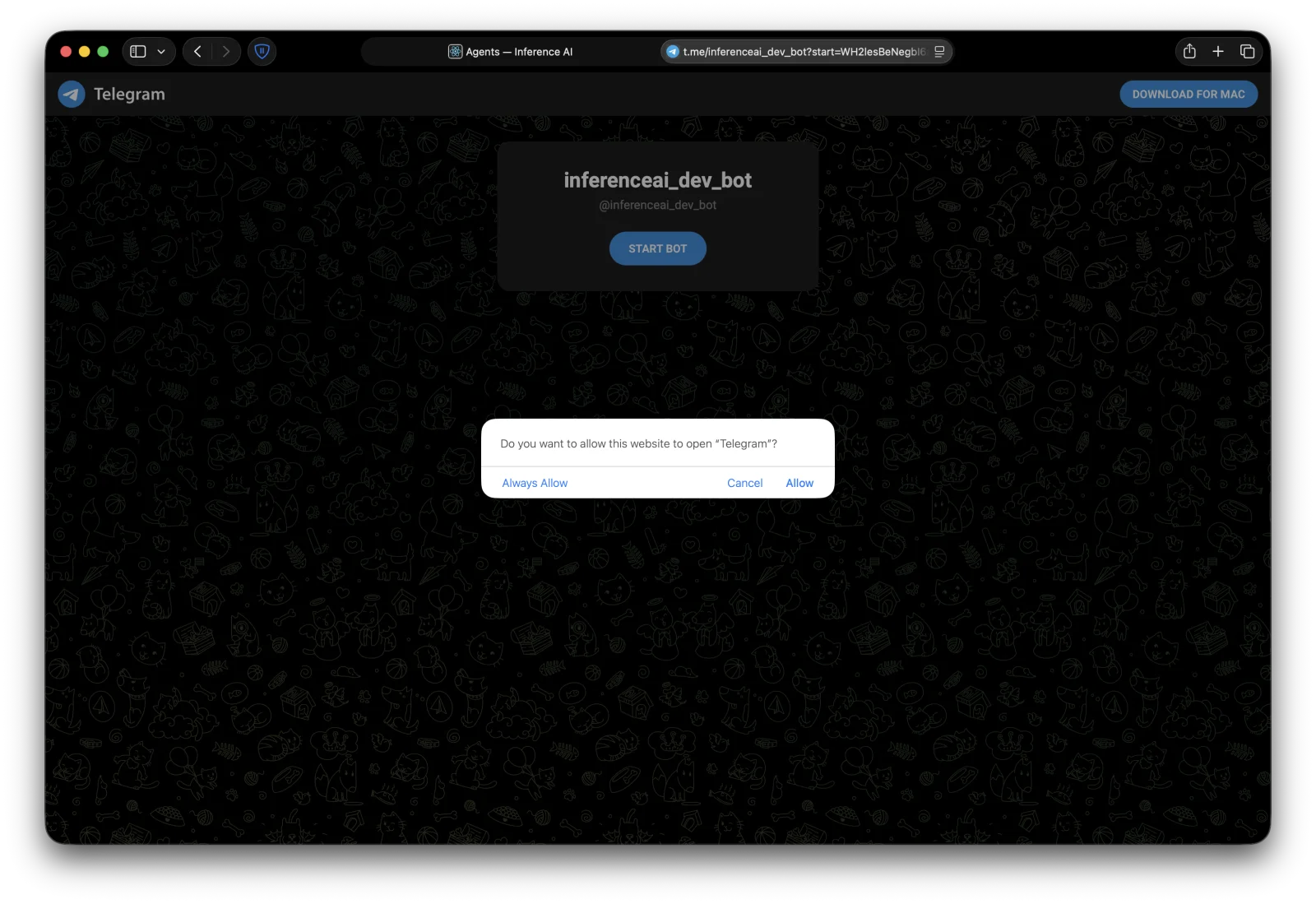
Scan the QR with Telegram on your phone, or click Open in Telegram to use the desktop or web app. Allow the page to open Telegram if your browser asks.
3. Tap Start
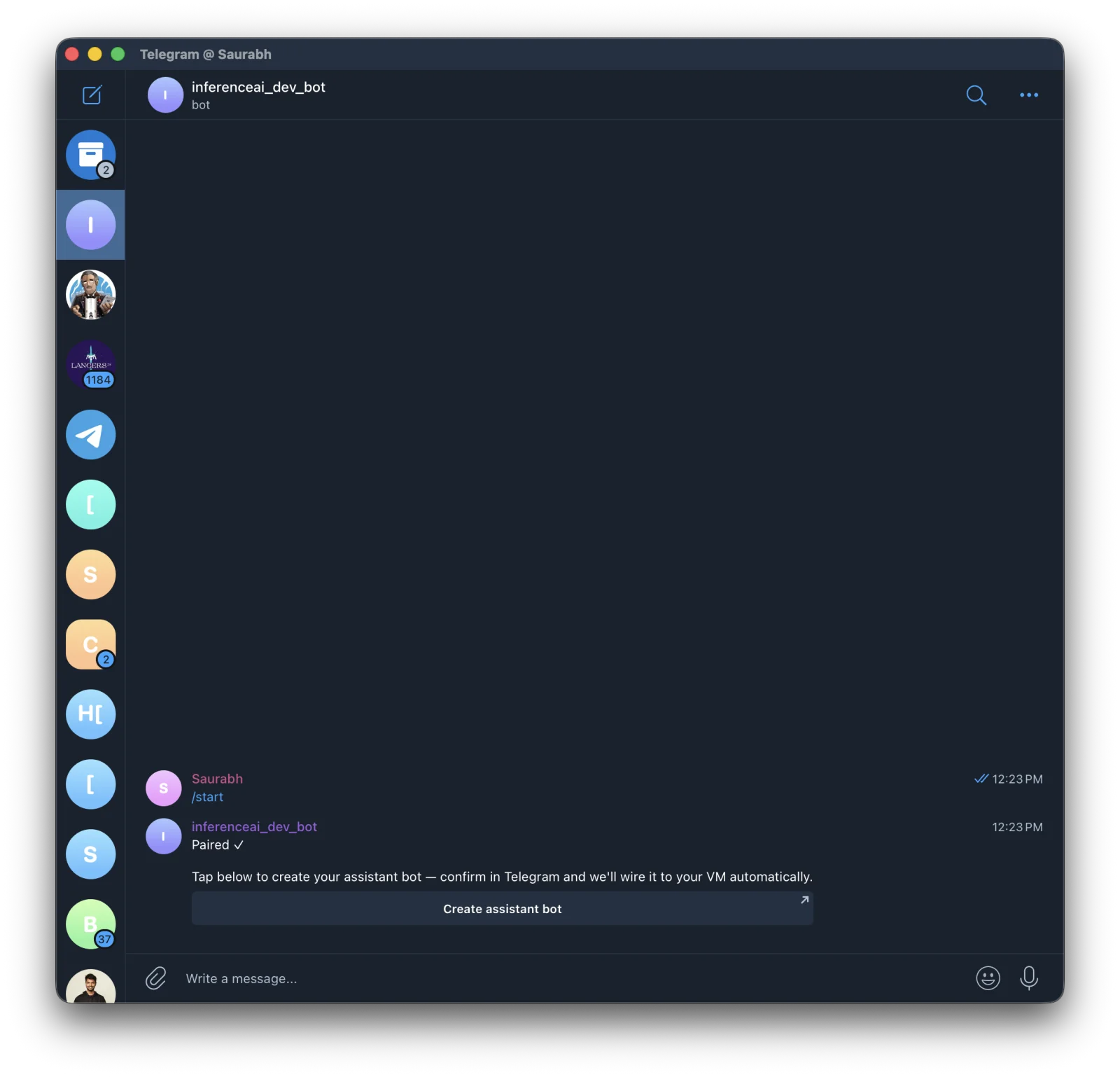
Telegram opens a chat with @inferenceai_bot. Tap START BOT (or send /start). The bot replies Paired ✓ and offers a button to create your assistant bot.
4. Create your assistant bot
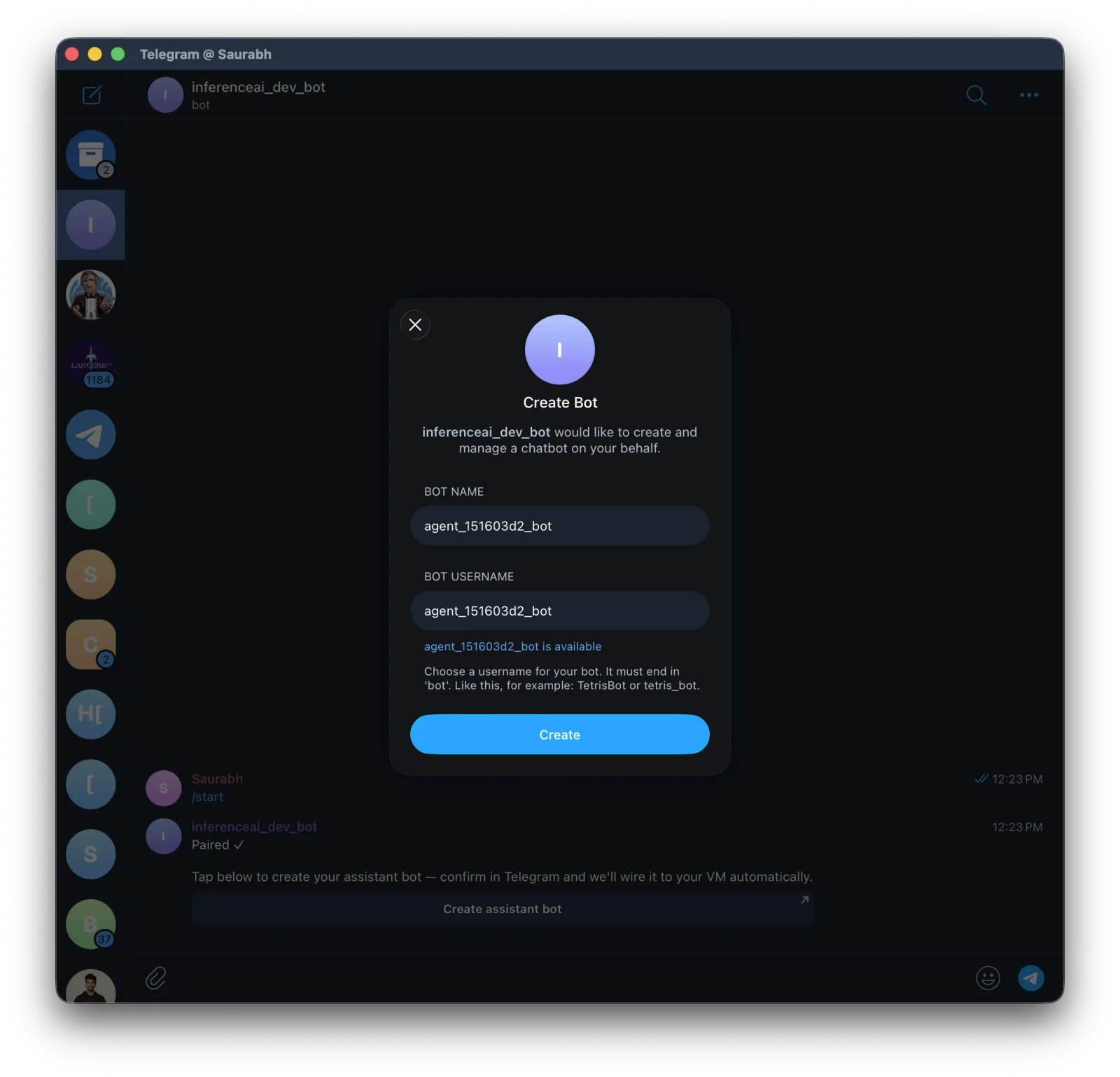
Tap Create assistant bot. Telegram opens a Create Bot modal with the bot's name and username pre-filled (e.g. agent_xxxxxxxx_bot). Tap Create. Telegram hands the new bot's token to us automatically; you never see it.
5. You're connected
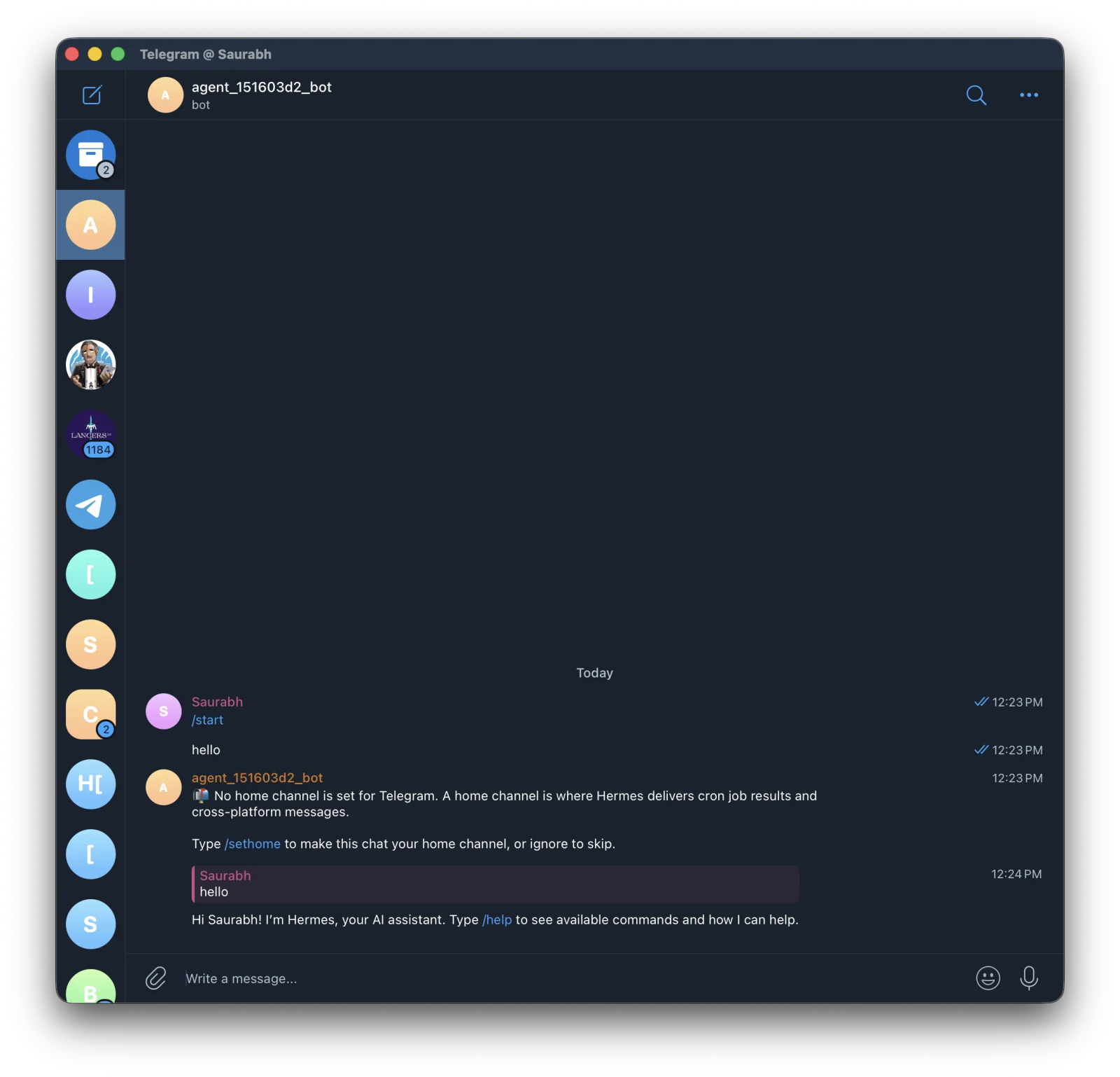
The dashboard's Telegram row flips to Connected within a few seconds and the connect dialog closes itself. Open your new bot in Telegram and DM it. First reply may take 30–60 seconds while your VM finishes wiring up.
Disconnecting
Click Disconnect on the Telegram row in your dashboard. We delete the token and ask Telegram to revoke the bot's session. To remove the bot from Telegram entirely, message @BotFather and use /deletebot.
Stuck on Telegram's Create Bot screen?
Telegram silently rate-limits new bot creation per account, even after deleting old bots. The cooldown can last several hours; we've seen it stretch past 12. macOS Telegram Desktop hides this as a forever spinner; Android shows the actual error. Retry from any device once it clears.